Gemini AI Photo Prompt Copy Paste: Create Stunning AI Images in Seconds

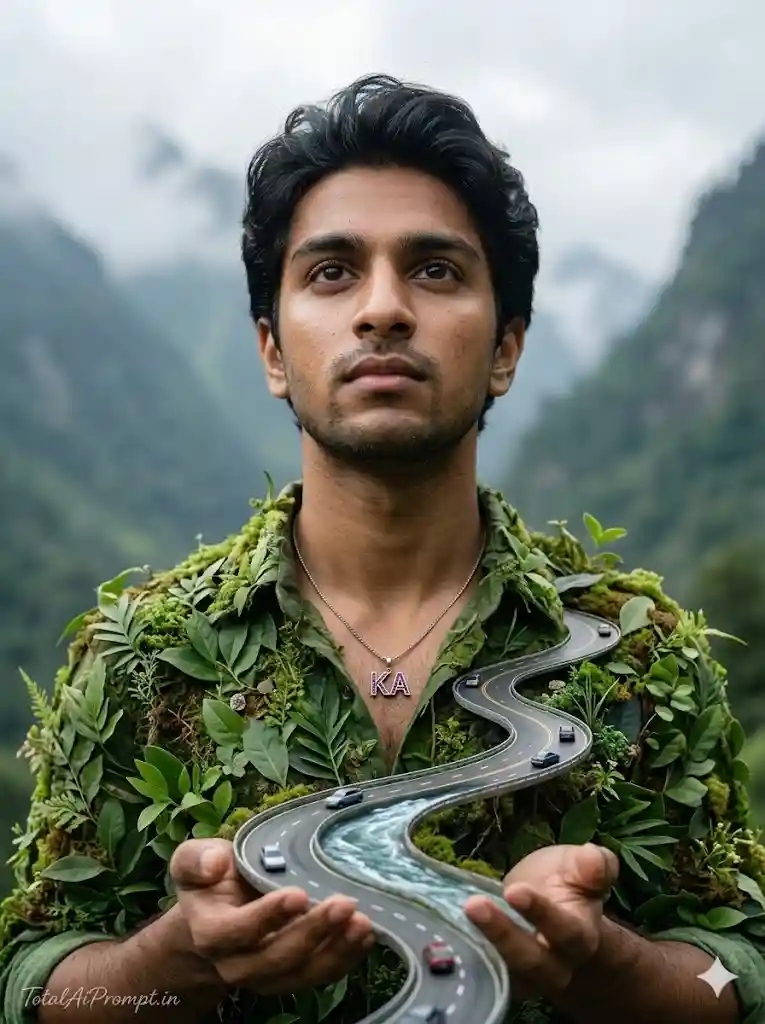
Create an ultra-realistic cinematic portrait using the uploaded reference image strictly for exact facial identity replication, ensuring the subjectโ€™s face, facial structure, skin tone, expression, and natural hair color match the reference perfectly with zero alteration or modification. The subject is a person standing in a breathtaking, lush mountain environment, wearing a unique green shirt organically formed from plants, leaves, and moss, blending naturally with the surrounding landscape. Around the neck is a delicate necklace featuring the โ€œKAโ€ initial, subtly styled with elegant purple detailing. The subject is gently holding a winding miniature road shaped like a flowing river, with tiny realistic cars traveling along it, symbolizing a surreal fantasy world integrated into reality. The subject gazes upward with a calm, thoughtful expression while soft cinematic lighting illuminates the face and environment, producing natural shadows, lifelike skin texture, and authentic environmental depth. The composition should feel like a high-end surreal fantasy composite photograph, rendered with extreme realism, detailed foliage textures, atmospheric mountain background, and natural color grading. Maintain vertical 3:4 aspect ratio, ultra-high resolution, sharp focus, realistic depth of field, and professional cinematic photography quality. TEXT / SIGNATURE: place โ€œTotalAiPrompt.inโ€ in the bottom-left corner using a small, thin handwritten cursive font, subtle and premium in white or soft off-white color. Negative prompts / restrictions: no face distortion, no change to facial features or hair color, no blur, no low resolution, no cartoon or illustration style, no extra limbs, no unrealistic anatomy, no oversaturation, no artifacts, no duplicate faces, no warped objects, no AI glitches, no exaggerated fantasy effects that break realismโ€”everything must appear natural, photorealistic, and seamlessly integrated.
5

Preparing Copy...

Gemini AI Photo Prompt Copy Paste
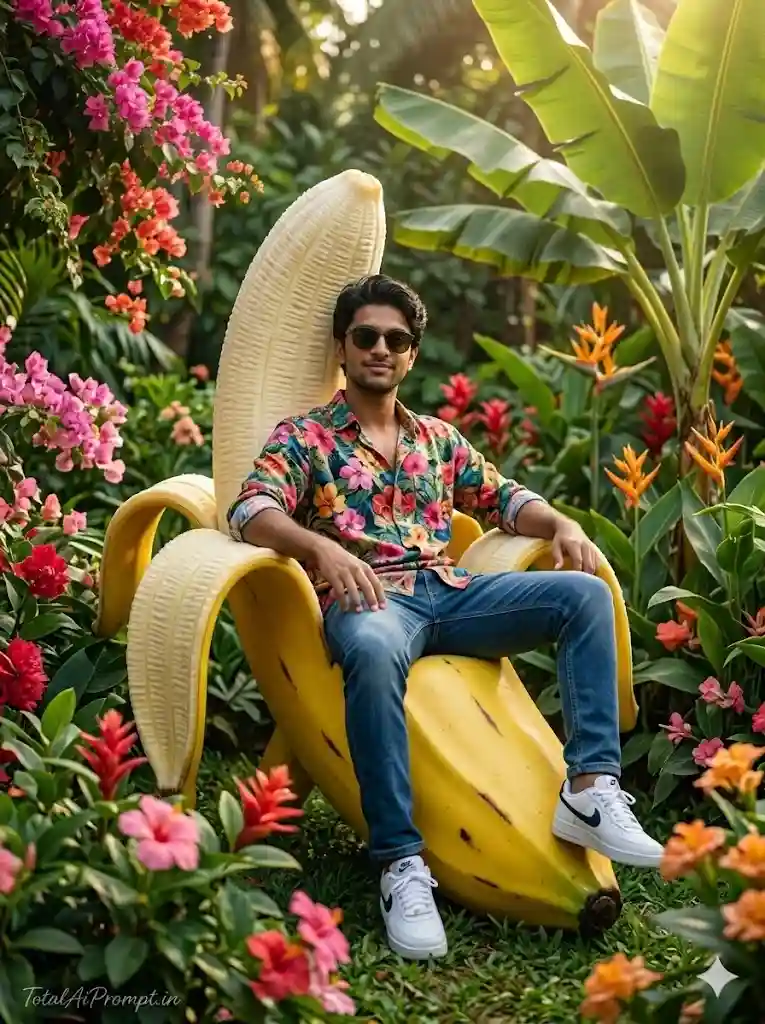
Create an ultra-realistic cinematic portrait using the uploaded reference image strictly for precise facial identity replication, ensuring the subjectโ€™s face, facial structure, skin tone, expression, and natural hair color remain exactly identical to the reference with zero alteration or enhancement. The scene depicts a man seated on an imaginative giant banana-shaped chair placed within a vibrant tropical garden; the banana is peeled open with its curved yellow peel forming the seat and sides, while the subject sits comfortably in the center of the peel. He is styled in a bright, colorful floral shirt, modern sunglasses, and clean white sneakers, conveying a relaxed and playful personality. The surrounding environment is a lush garden filled with blooming flowers in vivid shades of pink, red, and orange, complemented by large tropical banana leaves and dense greenery in the background. Warm sunlight shines through the foliage, producing soft natural highlights, realistic shadows, and a glowing tropical atmosphere that enhances the cheerful mood of the scene. The image should resemble a high-end surreal yet photorealistic lifestyle photograph, with lifelike skin texture, accurate fabric detail, natural reflections on sunglasses, detailed plant textures, and cinematic depth of field. Maintain vertical 3:4 aspect ratio, ultra-high resolution, sharp focus, and professional color grading for a polished cinematic finish. TEXT / SIGNATURE: place โ€œTotalAiPrompt.inโ€ subtly at the bottom-left corner using a small, thin handwritten cursive font in white or soft off-white, giving a refined premium watermark appearance. Negative prompts / restrictions: no facial distortion, no modification of face or hair color, no extra limbs, no deformed anatomy, no cartoon or illustration style, no blur, no low resolution, no duplicated faces, no warped objects, no oversaturated colors, no unrealistic lighting, no AI artifacts or glitchesโ€”everything must remain balanced, natural, and convincingly photorealistic.
5

Preparing Copy...

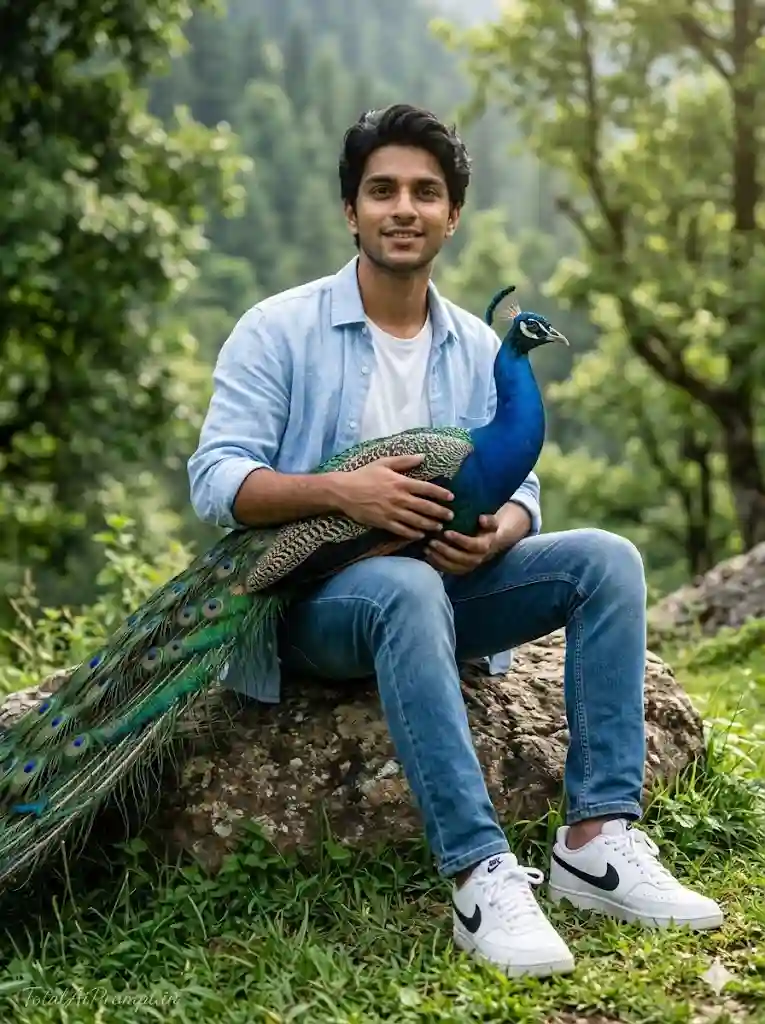
Create an ultra-realistic cinematic portrait using the uploaded reference image strictly for exact facial identity matching, ensuring the subjectโ€™s face, facial structure, skin tone, expression, and hair color remain perfectly identical to the reference with absolutely no alteration. The scene features a young man with short brown hair and a natural beard seated casually on a large textured rock in a lush green outdoor landscape, surrounded by soft grass, leafy trees, and a calm natural atmosphere. He is dressed in a light blue unbuttoned shirt layered over a clean white T-shirt, paired with blue jeans and white Nike sneakers with black logos, styled naturally and realistically. The subject appears relaxed and happy, smiling gently while holding a majestic peacock resting on his lap, with the birdโ€™s vivid blue neck and shimmering green-tinted tail feathers clearly visible and rendered with intricate feather detail. The environment should feel like a high-end cinematic outdoor photograph, with natural sunlight filtering through trees, soft shadows, realistic skin texture, detailed fabric folds, and lifelike environmental depth. The overall composition must maintain extreme photorealism, professional color grading, sharp focus, and natural depth of field, preserving a vertical 3:4 aspect ratio and ultra-high resolution for a polished cinematic look. TEXT / SIGNATURE: place โ€œTotalAiPrompt.inโ€ at the bottom-left corner using a small, thin handwritten cursive font, subtle and elegant in white or soft off-white color for a premium watermark effect. Negative prompts / restrictions: no facial distortion, no modification of facial identity or hair color, no extra limbs, no unnatural anatomy, no cartoon or illustration style, no blur, no low resolution, no duplicate faces, no warped objects, no artifacts, no exaggerated colors, no unrealistic lighting, no AI glitchesโ€”everything must remain natural, balanced, and seamlessly photorealistic.
5

Preparing Copy...

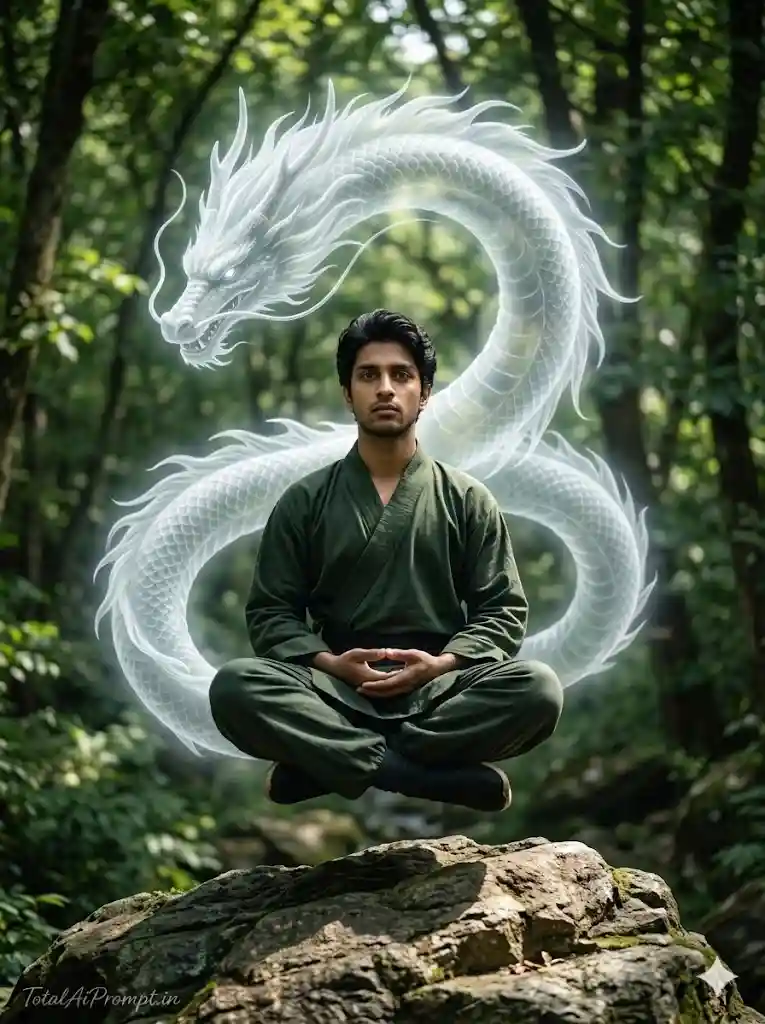
Generate an ultra-realistic cinematic portrait using the uploaded reference image strictly for exact facial identity replication, ensuring the subjectโ€™s face, facial structure, skin tone, expression, and natural hair color perfectly match the reference with absolutely no modification. The scene shows a man dressed in traditional martial arts attire seated in a calm meditative posture, slightly levitating above a rugged rocky outcrop, symbolizing deep focus and inner balance. Behind him emerges a majestic, ethereal white dragon, its elegant body coiling gracefully in a sinuous r-shaped formation, with flowing mane and finely detailed scales that appear semi-transparent and softly luminous, as if formed from spiritual energy. The dragon radiates a gentle glowing aura, suggesting it is a manifestation of the manโ€™s inner power, spirit, or life force, seamlessly blending fantasy with photorealistic elements. The surrounding environment is a lush, verdant forest filled with dense foliage, tall trees, and natural textures, illuminated by soft natural daylight filtering through the canopy, creating realistic highlights, shadows, and atmospheric depth. The overall composition should resemble a high-end cinematic fantasy photograph with extreme photorealism, including lifelike skin texture, detailed fabric folds in the martial arts clothing, natural rock surfaces, subtle mist, and professional color grading with shallow depth of field. Maintain vertical 3:4 aspect ratio, ultra-high resolution, sharp focus, and balanced lighting. TEXT / SIGNATURE: place โ€œTotalAiPrompt.inโ€ at the bottom-left corner in a small, thin handwritten cursive font, elegant and subtle in white or soft off-white color to create a refined premium watermark. Negative prompts / restrictions: no facial distortion, no change to facial identity or hair color, no extra limbs, no anatomical errors, no cartoon or illustration style, no blur, no low resolution, no duplicated faces, no warped objects, no oversaturated colors, no unrealistic lighting, no harsh fantasy effects that break realism, and no AI artifacts or glitchesโ€”everything must appear natural, cinematic, and convincingly photorealistic.
5

Preparing Copy...

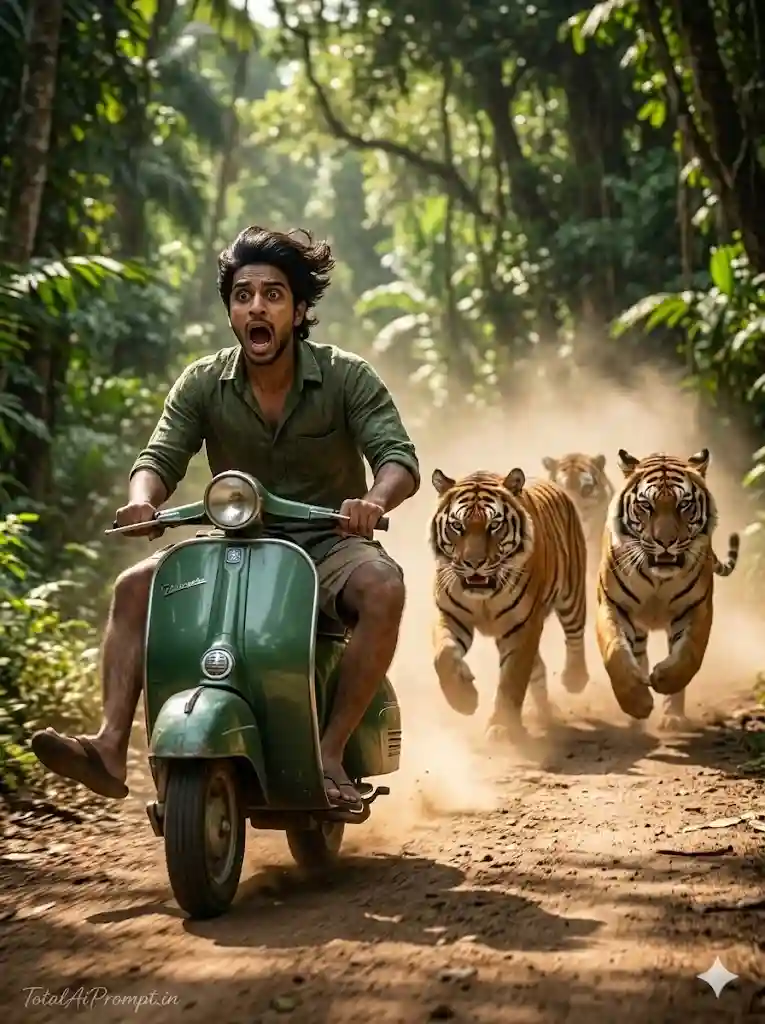
Create an ultra-realistic cinematic portrait using the uploaded reference image strictly for exact facial identity replication, ensuring the subjectโ€™s face, facial structure, skin tone, expression, and natural hair color match the reference perfectly with absolutely no alteration. The scene depicts a dramatic yet humorous action moment where a handsome man rides a vintage green scooter at high speed along a dusty jungle road, creating a lively cinematic atmosphere. The man has a neatly trimmed beard and short yet slightly flowing black hair blown backward by the wind, and his facial expression shows shock and panic with his mouth wide open, capturing an exaggerated moment of surprise. His legs are stretched outward in a frantic attempt to balance and control the scooter, emphasizing the chaotic movement. Behind him, three powerful tigers are charging down the dirt road in pursuit, their bodies mid-stride and kicking up thick clouds of dust, adding dynamic motion and tension to the scene. The surrounding environment is a dense tropical jungle with tall trees, lush greenery, and sun rays filtering through leaves, producing realistic shadows, dust particles, and motion blur that enhance the cinematic feel. The composition should resemble a high-end action film still, featuring lifelike skin texture, realistic animal fur, detailed scooter reflections, natural environmental depth, dramatic lighting, and professional color grading. Maintain vertical 3:4 aspect ratio, ultra-high resolution, sharp focus on the subject, and natural depth of field. TEXT / SIGNATURE: place โ€œTotalAiPrompt.inโ€ subtly at the bottom-left corner in a small, thin handwritten cursive font, elegant and premium in white or soft off-white color. Negative prompts / restrictions: no facial distortion, no changes to facial identity or hair color, no extra limbs, no deformed anatomy, no cartoon or illustration style, no low resolution, no duplicated faces, no unrealistic tiger anatomy, no oversaturated colors, no warped objects, no AI artifacts or glitchesโ€”everything must remain natural, cinematic, and convincingly photorealistic.
5

Preparing Copy...

Gemini AI Photo Prompt Copy Paste โ€“ Frequently Asked Questions (FAQ)

Question 1: What is a Gemini AI Photo Prompt?

Answer: A Gemini AI photo prompt is a detailed text instruction that helps AI tools generate realistic or creative images. By simply copying and pasting the prompt into Gemini or any AI image generator, users can quickly create stunning AI-generated photos.

Question 2: How do I use a Gemini AI Photo Prompt?

Answer: To use a Gemini AI photo prompt, simply copy the prompt text and paste it into the Gemini AI image generator. After submitting the prompt, the AI will generate an image based on the description provided.
Question 3: Can beginners use Gemini AI prompts easily?

Answer: Yes, Gemini AI prompts are very beginner-friendly. You only need to copy the prompt and paste it into the AI tool. The AI will automatically generate the image according to the instructions in the prompt.
Question 4: What type of images can be created using Gemini AI prompts?

Answer: With Gemini AI prompts, you can create many types of images such as cinematic portraits, fantasy scenes, realistic photos, artistic illustrations, nature scenes, and social media style images.
Question 5: Why are detailed AI prompts important?

Answer: Detailed prompts help the AI understand the scene clearly. The more descriptive the prompt is, the better and more realistic the generated image will be.
Leave a Comment

Your email address will not be published. Required fields are marked *

Scroll to Top